

在Ubuntu 20.04中,你可以通过以下步骤设置NTP(网络时间协议)同步:
1. 安装NTP服务
首先,确保系统已安装ntp或chrony(现代NTP实现)。
bash
复制
sudo apt update
sudo apt install ntp
或者使用chrony:
bash
复制
sudo apt update
sudo apt install chrony
2. 配置NTP服务
使用ntp:
编辑NTP配置文件:
bash
复制
sudo nano /etc/ntp.conf
在文件中添加或修改NTP服务器,例如:
bash
复制
server 0.ubuntu.pool.ntp.org
server 1.ubuntu.pool.ntp.org
server 2.ubuntu.pool.ntp.org
server 3.ubuntu.pool.ntp.org
保存并退出编辑器。
使用chrony:
编辑chrony配置文件:
bash
复制
sudo nano /etc/chrony/chrony.conf
添加或修改NTP服务器,例如:
bash
复制
pool 0.ubuntu.pool.ntp.org iburst
pool 1.ubuntu.pool.ntp.org iburst
pool 2.ubuntu.pool.ntp.org iburst
pool 3.ubuntu.pool.ntp.org iburst
保存并退出编辑器。
3. 重启NTP服务
使用ntp:
bash
复制
sudo systemctl restart ntp
使用chrony:
bash
复制
sudo systemctl restart chrony
4. 启用NTP服务开机自启
使用ntp:
bash
复制
sudo systemctl enable ntp
使用chrony:
bash
复制
sudo systemctl enable chrony
5. 验证NTP同步状态
使用ntp:
bash
复制
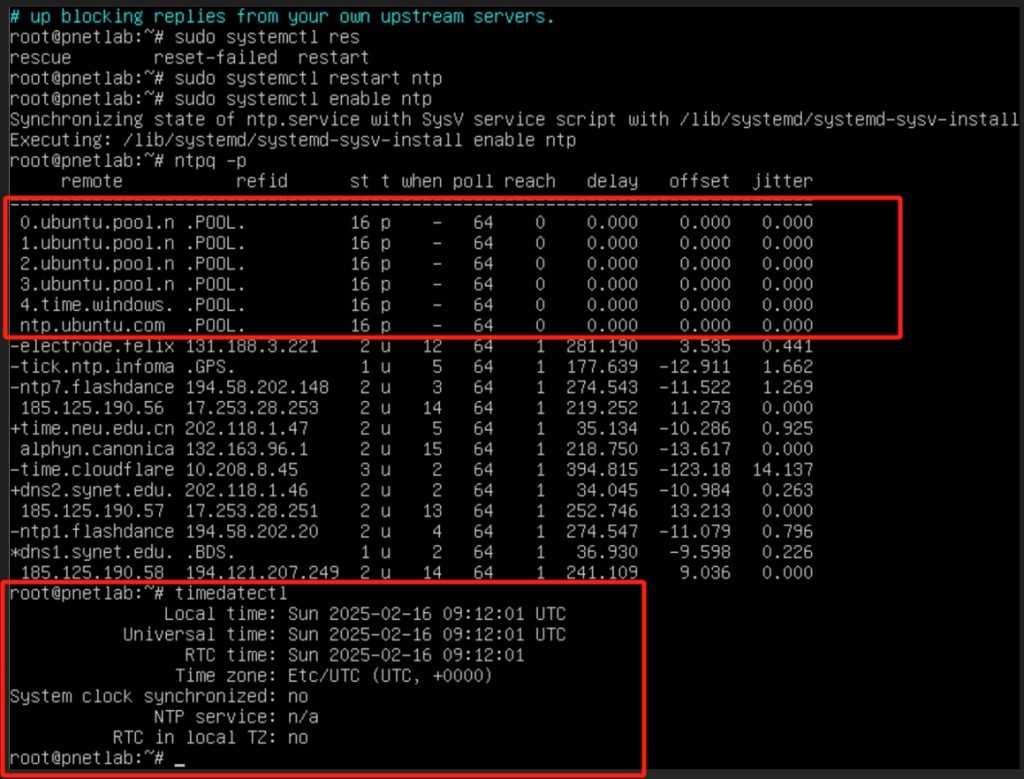
ntpq -p
使用chrony:
bash
复制
chronyc sources
6. 检查系统时间
bash
复制
timedatectl
确保NTP synchronized显示为yes。
7. 手动同步时间(可选)
如果需要手动同步时间,可以使用以下命令:
使用ntp:
bash
复制
sudo ntpdate -u 0.ubuntu.pool.ntp.org
使用chrony:
bash
复制
sudo chronyc makestep
通过这些步骤,你的Ubuntu 20.04系统将能够通过NTP同步时间。
Ubuntu22.4自动更新安全补丁:https://www.hao0564.com/4808.html